Digital tickets can be accessed via your mobile device.
Watch the instructional video below or scroll down and view the steps.
Digital tickets can be accessed via your mobile device.
Watch the instructional video below or scroll down and view the steps.
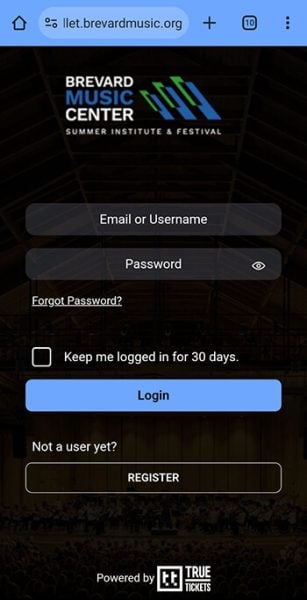
Visit wallet.brevardmusic.org and log in using the same email address and password you used to purchase tickets directly from Brevard Music Center.
If you received login information from a third-party reseller, please be aware that you may have paid significantly more than the original ticket price—sometimes double or more. We encourage you to check our official pricing and contact your financial institution if you believe you were charged more than $10 over face value.
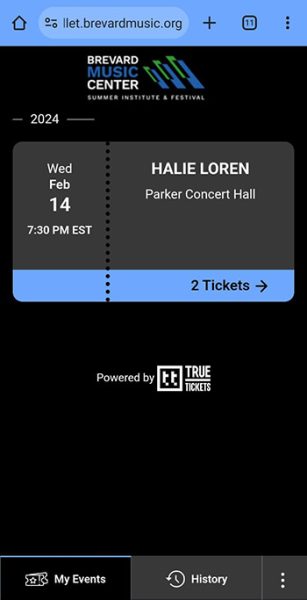
Your tickets to upcoming performances are displayed on the My Events tab.
If this is your first time accessing your digital wallet and your tickets are not there, please try logging out and back in.
Please note: It may take up to 15 minutes after purchase for tickets to appear.
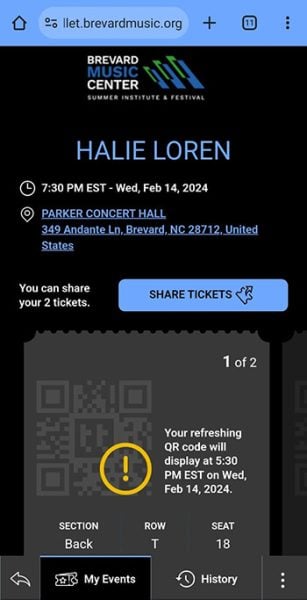
Easily view, share, and manage your digital tickets.
If you would like to add a ticket wallet shortcut to your phone’s home screen, please select your device type and browser for instructions.